M∕LMACHINE LABTAKE IT APART. UNDERSTAND IT.
IN YOUR BROWSER
Assembling your machineCompiling the 3D materials. The first view may take a moment.
A LITTLE CURIOSITY GOES A LONG WAY

Watch the work happen.

These are working educational models, built from code. The moving parts and their diagrams read the same mechanism state.

01 / EXPLORE

Get a better angle.

Drag the machine to orbit. Scroll or pinch your trackpad to zoom. Use the camera buttons for a closer view.

02 / OPEN IT UP

Follow one cylinder.

Choose a cylinder in the firing order, switch to Glass or Section, then select Inside cylinder. The charge and pressure diagram follow it.

03 / SLOW DOWN

One stroke at a time.

Pause and step by 15°. The model uses slow playback so you can follow the mechanism; displayed RPM is engine speed, not playback speed.

04 / LOOK AROUND

Try another machine.

Explore twelve machines: V8, landing gear, Strandbeest, turbojet, steam locomotive, excavator, planetary gearbox, tourbillon clock, sandworm, robotic jellyfish, hexapod and Navi. The new models include subsystem isolation, exploded views and guided tours.
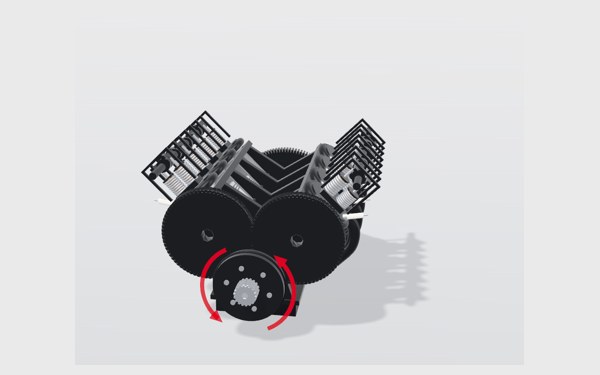
Hover or focus a control for its explanation. Tap a ? icon beside a setting or diagram to pin its help on screen. The V8 uses a simplified chamber-pressure model, not measured engine data. This is an explainer, not an engineering validation tool. Guided tours start when you choose them. Enable idle tours in Preferences to resume demonstrations automatically. Reduced-motion preferences disable automatic camera tours. The sandworm is fictional. Jellyfish flow is ideal displaced volume; hexapod torque is an equal-share static estimate, not dynamic actuator sizing. Jet-cycle values and watch escapement contact geometry are simplified; dimensions are teaching parameters, not a specific commercial machine.

Based on Elvar’s Teardown skill and claude-motion. MIT licence. No cloud connection is needed to run the built simulators.
TWELVE WAYS TO BE CURIOUS

Choose your machine.

Open it up. Follow the moving parts. Then try an activity.

Playback preferences

Off by default. Your choice is saved in this browser. Automatic tours stay off when your device requests reduced motion.

Report a problem

Describe what happened and save a report to share with the site owner. Nothing is sent automatically.

Share this machine